Getting started with Unity

New to Unity? Explore learning pathways and resources to help develop your skills and make your own real-time 3D projects.

Kickstart your learning

Install the Unity Hub and Editor

Learn everything you need to download, install, and begin creating with Unity.

Hands typing on laptop

Pick the right path

Choose the right learning experience for your interests and experience level.

Building a house in unity

Unity Essentials

New to Unity? This guided learning pathway includes everything you need to get started.

Unity Essentials logo

Junior Programmer

This comprehensive pathway is designed for anyone interested in learning to code, or in obtaining an entry-level professional Unity role.

Junior Programmer icon

Creative Core

This pathway is an introduction to VFX, lighting, animation, audio, UI, and other creative skills – no programming required.

Creative Core icon

Set up your first microgame

Unity's microgames are a great way to dive into the Editor – build, play, and share your very first game in no time.

Microgame

Roll-a-Ball

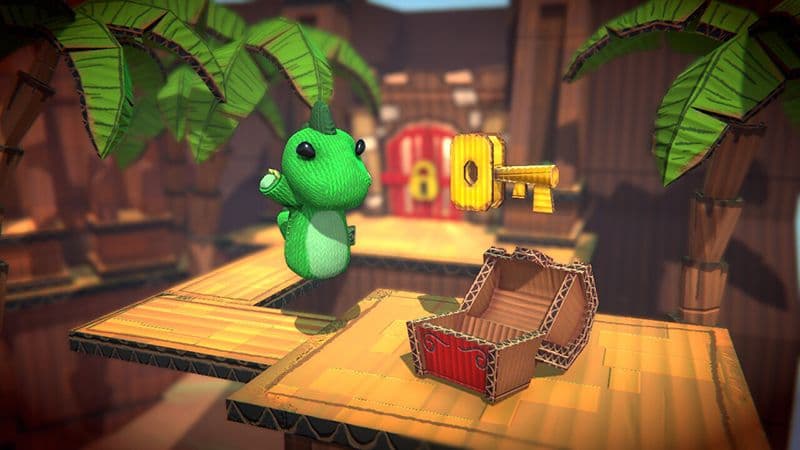
In this beginner project, you’ll use the Editor and its built-in capabilities to set up a simple game environment, write scripts, and more.

Characters in Roll-a-ball beginner project

Create with VR

This course teaches you how to develop VR applications by guiding you through a VR project from start to finish.

VR in game

Level up your skills with additional resources

Get started with Unity DevOps

Learn about the tools and workflows that can help you create and manage your game or other real-time experience throughout its lifecycle.

Gaming services screen

Prototype a game with Unity Muse

Create a simple game prototype using Unity Muse. Answer your Unity questions and generate your own assets with AI.

Muse

Get started with Addressables

Learn how to organize your on-demand assets from inside the Unity Editor while developing your game.

Image from game

Junior Programmer

This comprehensive pathway is designed for anyone interested in learning to code, or obtaining an entry-level professional Unity role.

Junior Programmer icon

Mobile AR development

This learning pathway teaches you how to develop AR apps compatible with iOS and Android devices.

Mobile AR Development icon

VR development

Prepare yourself for a job in the VR industry with this guided learning pathway.

VR Development icon

Elevate program

Elevate is an initiative that helps job seekers prepare for and find work in real-time 3D industries.

Elevate text on an image background depicting two people smiling

Introduction to portfolios

Learn how to build a portfolio to help you showcase your work when applying for a job, pitching to clients, or applying for higher education.

Introduction to portfolios

The job-seekers guide to learning Unity

Meet experienced creators who started at the beginning with Unity and have developed their new skills into careers. Begin learning about the roles and responsibilities of real-time 3D professionals.

Man behind two computer monitors

Extremely satisfying. The idea that I could program a game seemed completely beyond my reach at the beginning of my journey. Now it seems well within my grasp.

Junior Programmer graduate
Junior Programmer graduate - none
none

Created by learners using Unity Learn

Counter shooter example

Counter Shooter WebGL

OriolZC

I used this project to make my first microgame using what I learned in Create with Code. Sprites and animations are made by me. I also made the music by modifying some free samples. Sound FX are from a free package in the Asset Store. I learned a lot and can't wait to continue with the program. Enjoy the journey!

Space shooting game

Space Shooter

HappyDragon9

Did a simple derivation on the classic Asteroids to demonstrate all the aspects of OOP.

Factory crane game screenshot

Factory Crane Game

joseph_babel

For my final submission of this pathway I wanted to go beyond the requirement and create something that would look good for my portfolio.

Knowledge platforms